Reverse ASIN reveals the organic + paid keywords a competitor's ASIN ranks and converts on. Use it to find hidden long-tail terms, high-converting keywords, and gaps in your own coverage. It's a core SellerSprite feature and a clear edge over Jungle Scout.
What is reverse ASIN for PPC?
Instead of brainstorming keywords, you enter a competitor's ASIN and see the exact terms shoppers used to find and buy that product — real, customer-validated data.
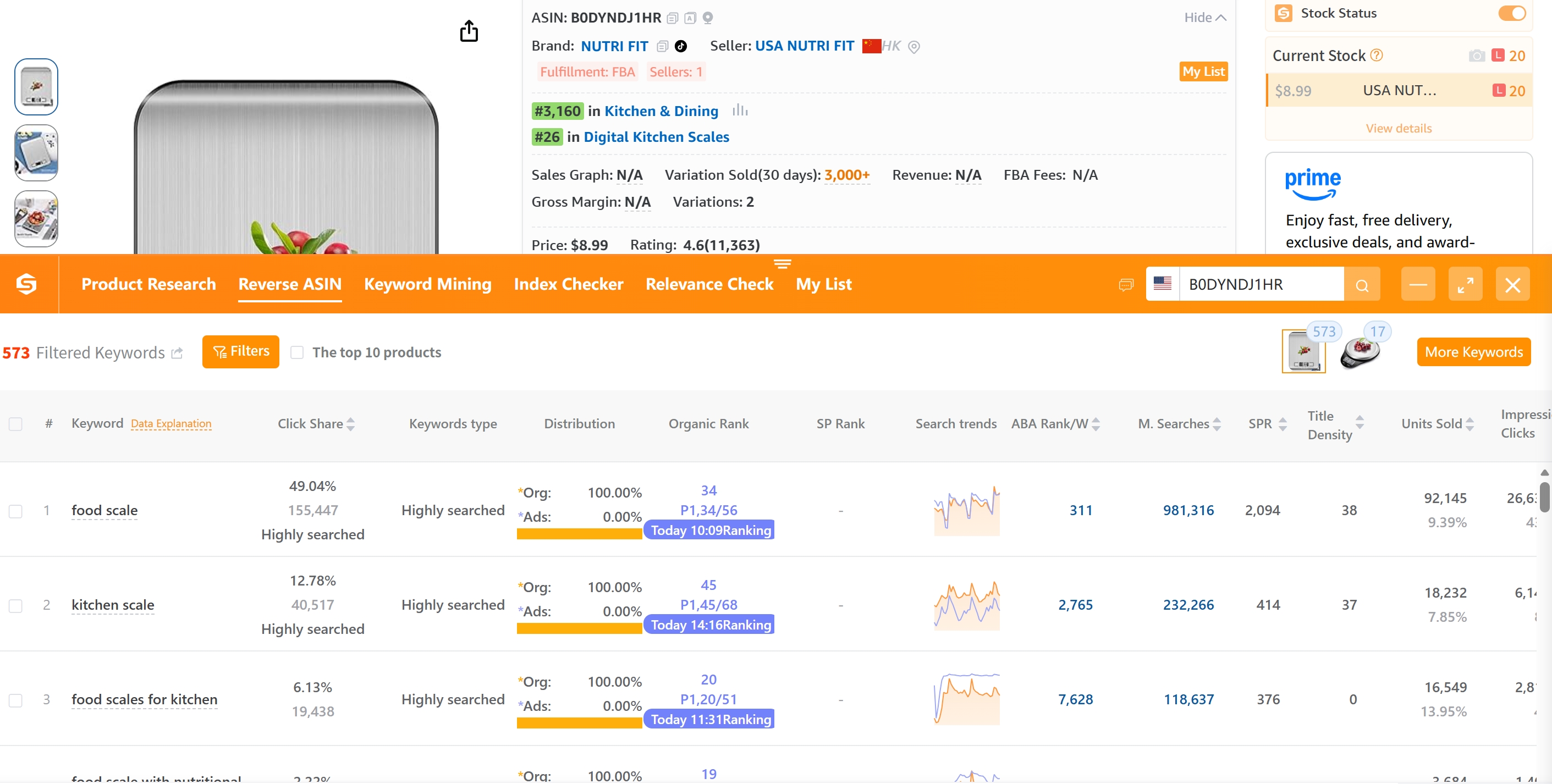
SellerSprite reverse ASIN — see a competitor's keywords right on the product page.
Why it matters for your PPC
Four benefits: (1) hidden, low-competition long-tail terms; (2) top converting search terms; (3) brand-specific opportunities; (4) gaps your campaigns haven't covered.
Step 1: Pick competitor ASINs worth analyzing
Pick high-BSR ASINs with 4.5★+ and 100+ reviews and well-optimized listings — competitors that genuinely convert, not random ones.
Step 2: Run reverse ASIN to extract keywords
Enter the ASIN in SellerSprite → get a keyword list with search volume, impression share, and ranking position (organic + sponsored).
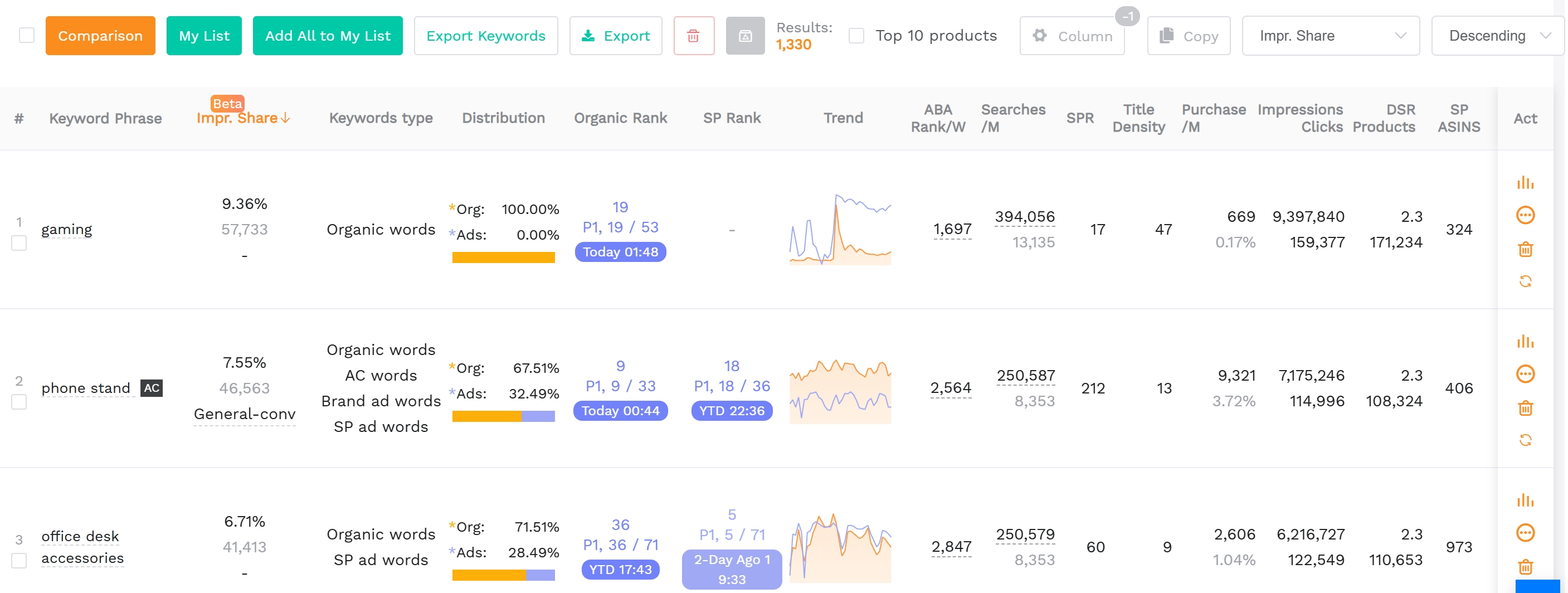
Keyword extraction: volume, position, share — so you prioritize correctly.
Step 3: Filter and prioritize
Prioritize: high volume + low competition + exact intent + long-tail. Export to Amazon Advertising for exact-match campaigns and targeting.
Step 4: Feed into your PPC structure
Split campaigns by funnel (top/mid/bottom), set competitive bids, layer negative keywords, monitor regularly. Reverse ASIN isn't one-and-done — re-run it as competitors shift.
FAQ
What is reverse ASIN on Amazon?
Enter a competitor's ASIN to see the organic + paid terms it ranks and advertises on, so you can target the same converting keywords.
Is reverse ASIN free?
SellerSprite offers reverse ASIN on paid plans + limited free lookups; with the 35% code TNC35 it's the cheapest full reverse-ASIN tool.