A great listing = relevance (right keywords) × conversion (persuades to buy). Start with real keyword data, place it in title/bullets/backend, then optimize images + A+ to convert. SellerSprite AI Listing generates the whole set in seconds.
Start with real keywords
Don't guess — use reverse ASIN + keyword research to see the exact terms shoppers use for your category. SellerSprite gives search volume + long-tail suggestions.
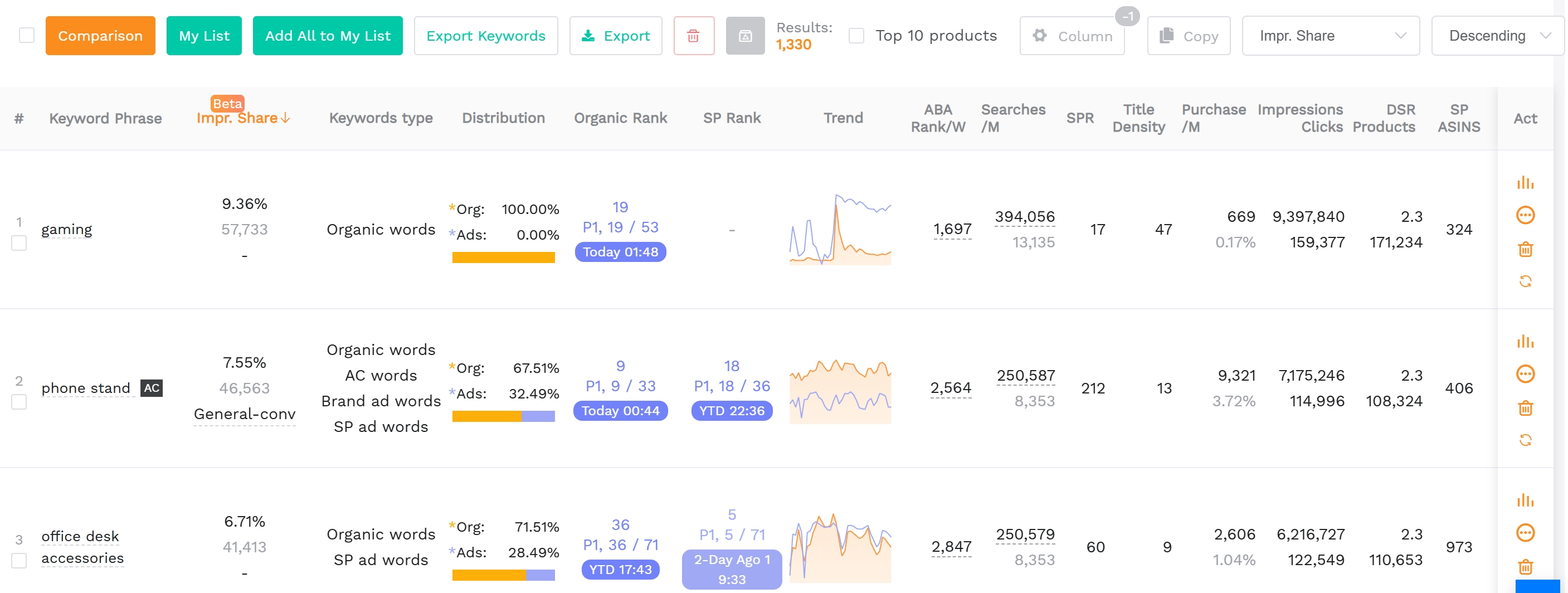
Real search volume + keywords → put them in your listing.
Keyword-rich title
Lead with the top keyword, keep it readable, under 200 characters, and include the main benefit + key specs. Don't keyword-stuff.
5 benefit-first bullets
Open each bullet with a benefit (capitalized), then features + keywords. Shoppers scan fast — the start of each bullet matters most.
Images + A+ content
Main image on white + lifestyle + infographic images. If brand-registered, add A+ content — it lifts conversion noticeably.
Backend (hidden) keywords
The generic keywords field in Seller Central: add synonyms, lowercase, no repeats of the title, no wasted punctuation. Captures long-tail traffic.
FAQ
What is an Amazon listing?
A product page (title, images, bullets, description, price) where shoppers decide to buy. Good optimization = higher ranking + higher conversion.
How long does listing optimization take?
Keyword research ~1-2h, writing title/bullets ~1h. With SellerSprite AI Listing it drops to minutes.