Good PPC = separate campaign roles (ranking vs profitable), optimize on enough data, watch TACoS not just ACOS, and run a weekly SOP. The biggest mistakes: mixing campaign roles and acting on too-thin data.
Metrics you must know
ACOS = ad spend / ad sales (per-campaign efficiency). TACoS = ad spend / total sales (whole-catalog PPC health). Also CTR, CVR, CPC, and break-even ACOS (your margin-based ceiling).
Separate exact match into its own bucket
Ranking-focused exact-match campaigns need their own budget + ACOS tolerance, separate from support campaigns. Confusing the two roles ruins bid decisions.
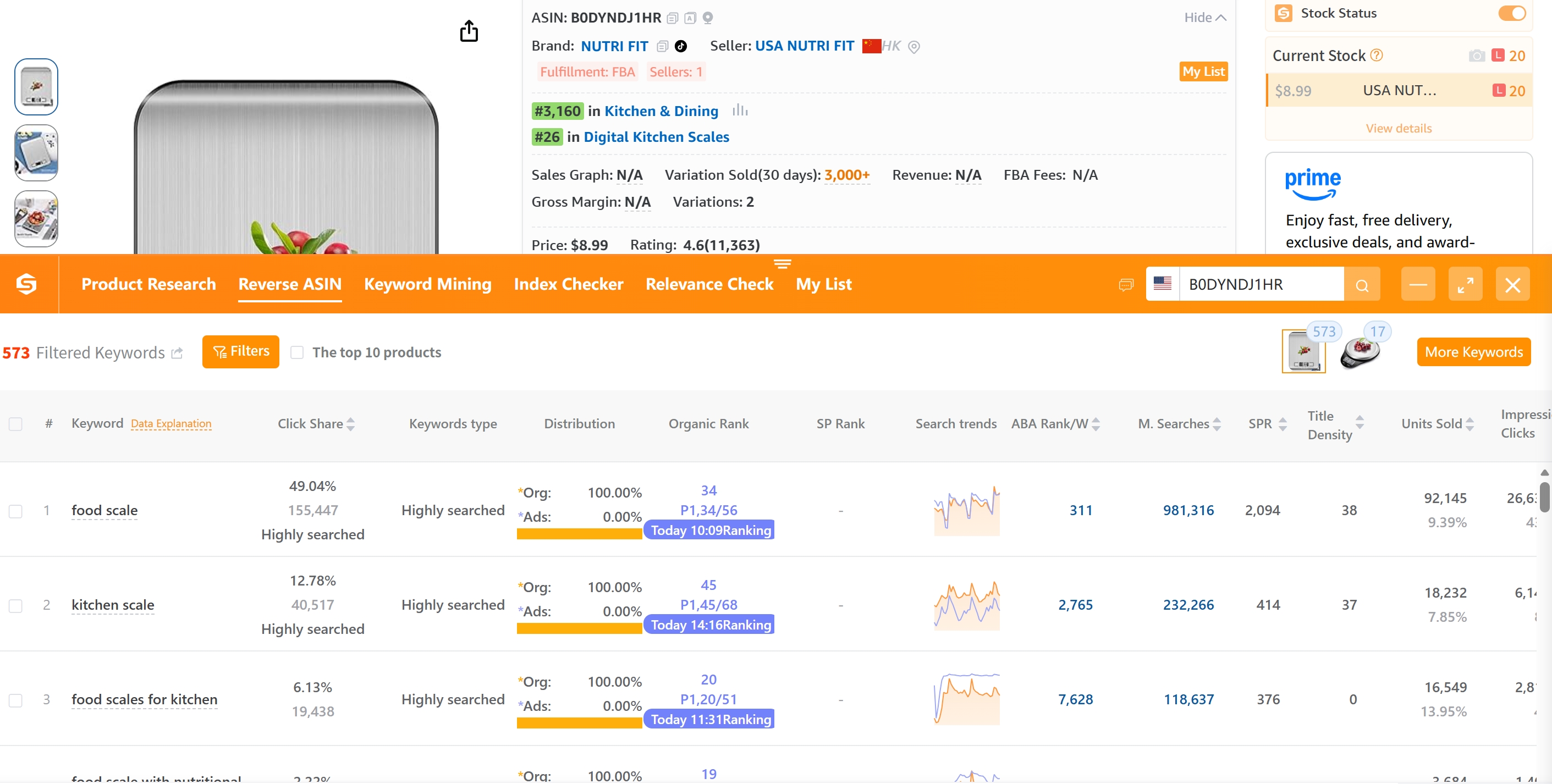
Reverse ASIN → find high-converting keywords for PPC.
Optimize auto campaigns correctly
Review the 4 match types (close, loose, substitutes, complements) individually and set threshold-based bids per group — not as a blended unit.
Bid-decision workflow (5 steps)
- Pick a long-enough date range.
- Flag hard-underperforming targets.
- Compare ACOS vs the role's target.
- Reward efficient targets (raise bids).
- Hold when data is thin.
Weekly SellerSprite SOP
(1) Pull data, (2) review by campaign role, (3) analyze negative keywords, (4) bulk-upload changes. Repeat weekly — PPC is a process, not a one-time setup.
FAQ
What is a good ACOS on Amazon?
Depends on margin + goal: ranking campaigns can run high ACOS intentionally; profitable campaigns should sit below break-even ACOS. Track TACoS across total sales.
How often should I optimize Amazon PPC?
Weekly for most sellers. Run the SOP: pull data → review by role → prune negatives → adjust bids → bulk-upload. Avoid acting on too little data.